
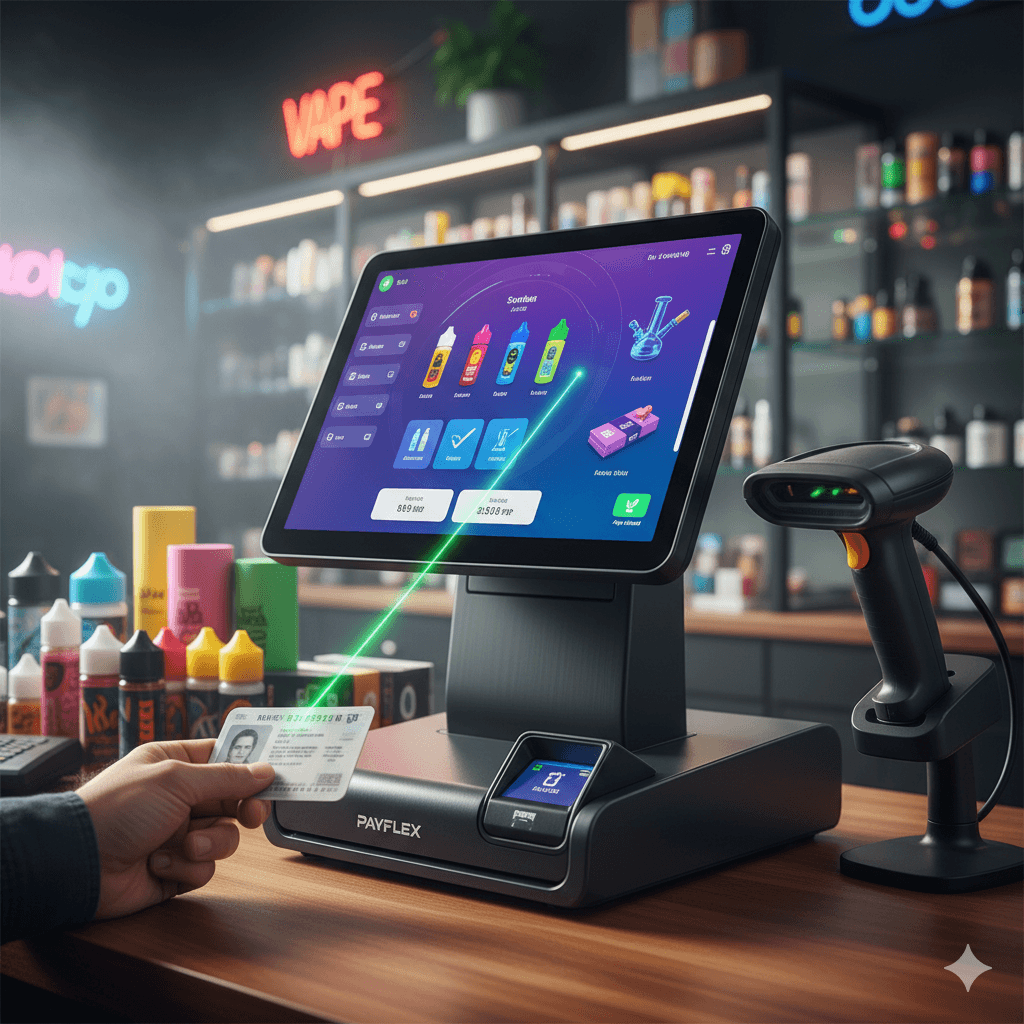
The modern smoke shop and vape industry faces high product velocity, complex inventory, and strict compliance laws. Due to this unique operational flow, a generic POS system simply cannot succeed.
If you’ve invested in a specialized system like the Payflex Terminal, you have bought more than just a cash register. You have acquired an essential tool for compliance, inventory control, and profit maximization.
This comprehensive guide walks you through the 12 essential steps to set up, configure, and master your smoke shop POS system. This process turns the terminal into the central intelligence hub of your business.
Part I: The Foundational Setup (Steps 1-4)
The first steps involve physical setup. You must accurately import your core data. This crucial process lays the groundwork for compliance and inventory control.
Step 1: Physical Setup and Network Integrity
Ensure your hardware is ready before touching the software.
Placement: Position the POS terminal for maximum visibility for the cashier. It should also minimize obstruction for customers. Ensure peripheral hardware (scanners, receipt printers) are connected and ready.
Networking: A slow POS is a major liability. Use a wired Ethernet connection for the terminal whenever possible. Wi-Fi can easily fail, especially during peak hours. Verify your router can handle the real-time data flow needed for inventory lookups and payment processing.
User Profiles & Permissions: Immediately set up unique login accounts for every employee, cashier, and manager. Crucially, define clear permission levels. Cashiers should be limited to sales and simple voids. Managers must handle pricing, reporting, and high-value transactions. This simple step is vital for reducing internal shrinkage.
Ready to Move Beyond the Cash Register?
You’ve read the plan—now see the technology. Get an inside look at how the Payflex system handles your unique inventory, compliance, and loyalty needs in one powerful dashboard.
Watch the Smoke Shop POS Video Demo
Step 2: Configure Core Business Settings and Taxes
This is the most critical compliance step. Never overlook local tax variations.
Business Details: Enter your business name, address, and contact information accurately. This important information populates receipts and back-office reports.
Sales Tax Configuration: Understand and configure your local tax structure accurately. Sales tax rates can vary by product category or location. Therefore, your POS must be able to calculate and report different applicable rates separately.
Tax Exemptions: If you serve wholesale customers or military personnel who qualify for tax-exempt status, ensure the POS has a function to toggle this status quickly. Also, remember to log the necessary exemption documentation numbers for audits.
Step 3: Importing and Structuring Your Product Catalog
A smoke shop has vast inventory. Importing thousands of products requires structure, not speed.
Categorization: Organize your products logically. A recommended structure includes:
Level 1 (Department): Vapes, Tobacco, Glassware, Accessories.
Level 2 (Type): E-liquids, Disposable Vapes, Cigars, Hookah.
Level 3 (Detail): Brand Name (e.g., Juice Head 60ml).
SKU and Barcodes: Verify that every product has a unique SKU. Utilize a barcode scanner during the importing phase. This ensures the system links the correct product data (price, tax) to the physical barcode.
Pricing Strategy: Input both the cost price (your wholesale cost) and the retail price. This allows the POS to automatically calculate Gross Profit Margin for every sale. Ultimately, this gives you the real-time insights required to stay profitable.
Step 4: Initial Inventory Audit and Stock Levels
You must perform a comprehensive stock count before the POS goes live.
Count Inventory: Use a handheld scanner and the POS system’s stock-taking function. This step helps you enter accurate on-hand quantities.
Set Low-Stock Alerts: Set custom thresholds for your highest-selling or most critical products (e.g., top-selling disposables, essential glassware). A specialized POS will automatically notify you when stock drops below this level. This proactive step prevents you from missing high-value sales due to stockouts.
Part II: Mastering Compliance and Operations (Steps 5-8)
These steps focus on configuring the Payflex system. The goal is to eliminate regulatory risk and optimize transaction speed.
Step 5: Configuring Mandatory Age Verification
What is the easiest way for smoke shops to ensure age verification compliance?
The easiest way to ensure age verification compliance is by using a POS system with mandatory, built-in ID scanning capabilities. Your system must be configured to demand verification for specific restricted categories.
Category Tagging: Go through your product catalog. Tag every age-restricted item (vapes, tobacco, specific accessories) as “Requires ID Check.”
System Lockout: Ensure the Payflex system is set to lock the transaction. It must prevent the cashier from proceeding until a valid ID (driver’s license, military ID, passport) has been scanned and verified.
Audit Trail: Verify that the system logs the date and time of the ID scan in the transaction history. This crucial record creates an indisputable audit trail. It protects your business against fines during compliance checks.
Step 6: Implementing Loyalty and Customer Relationship Management (CRM)
Building repeat business is non-negotiable in this competitive market.
Loyalty Structure: Decide on your loyalty scheme: Points Per Dollar Spent or Visit Frequency Rewards. Configure these rules within the POS system.
Customer Profiles: Train staff to collect customer data (name, email/phone) during checkout. This data is essential for the built-in CRM. It allows you to track purchase history, send personalized promotions, and notify clients of new product drops.
Membership & Tiering: If you offer tiered VIP membership discounts, ensure these are configured to automatically apply when a customer’s profile is loaded. This eliminates manual discount application errors.
Step 7: Optimizing the Checkout Flow for Speed
The smoke shop checkout often involves multiple items, tips, and promotions. Speed is vital.
Quick Keys: Program quick access buttons for your highest velocity items (e.g., top-selling water bottles, lighters, single items).
Tipping Integration: Ensure the system prompts the customer for a tip before they complete the transaction on the payment terminal. Verify that tipping data is accurately tracked and assigned to the cashier for payroll.
Handling Voids and No-Sales: Restrict voiding and high-value returns to managers only. This action serves as a crucial security measure. It prevents internal theft and reduces shrinkage.
Tired of Compliance Anxiety and Shrinkage?
The Payflex system is built to stop both. Discover how mandatory ID scanning and item-level inventory control protect your business from fines and theft.
Learn More About Compliance & Security Features
Step 8: Configuring Payment Acceptance
Your POS should be fully integrated with your payment processor. This ensures you can handle all modern payment types.
Credit/Debit: Ensure the payment terminal is synced and tested.
Digital Wallets: Verify that the terminal accepts contactless payments (Apple Pay, Google Pay).
Cash Discounts/Dual Pricing (If Applicable): If your business uses a cash discount or dual pricing program, verify the system is configured to calculate and display the price adjustment transparently. This must happen before the customer tenders payment.
Part III: Mastering Intelligence and Growth (Steps 9-12)
These steps move beyond simple transactions. They show how to use the POS system as a business intelligence tool for management.
Step 9: Tracking Technician and Staff Performance
Performance monitoring is key for shops with specialized accessory repair services or a larger staff team.
Shift Tracking: Configure the system to require staff to clock in and out for their shifts. This creates accurate timesheets for payroll.
Sales by Employee: Utilize the reporting features. They help monitor sales, voids, and returns by individual employee or cashier. This data is essential for identifying top performers and reducing errors.
Step 10: Utilizing Real-Time Analytics and Reporting
How do smoke shops manage inventory effectively?
Smoke shops manage inventory effectively by transitioning from manual tracking to item-level digital tracking within a specialized POS system. This allows for real-time reporting on shrinkage, profit margins, and sales velocity.
Daily and Weekly Reports: Schedule automated reports. They should land in your manager’s email every morning. The reports should detail the previous day’s sales, profit margins, voids, and staff activity.
Shrinkage Monitoring: Routinely run reports comparing actual inventory to theoretical inventory based on sales. Use this data to quickly identify periods of high loss. You can then address potential security gaps.
Sales Velocity: Identify your fastest-moving and slowest-moving products. This valuable insight guides smarter purchasing decisions. It ensures capital isn’t tied up in dead stock.
Step 11: Inventory Best Practices and Cycle Counting
Do not wait for a full annual inventory count. Use the POS to manage inventory proactively.
Receiving & Transfers: Configure the system to update inventory the moment new stock is received from a vendor. If you have multiple locations, ensure the system can handle inventory transfers. It must also track stock between stores.
Cycle Counting: Do this instead of waiting for a full annual count. Use the reporting features to target and count specific high-value categories (e.g., glassware, high-nicotine items) weekly. This significantly improves inventory accuracy with less effort.
Step 12: Continuous System Review and Updating
The smoke shop landscape is always changing. Your POS system must evolve with it.
Regular Updates: Ensure your Payflex system is connected. It should regularly receive software updates. These updates often include crucial tax table changes, new security features, and performance enhancements.
Staff Training: Regulations change, and new products arrive often. Conduct brief, monthly training sessions on the POS system. This ensures staff understand new features, compliance protocols, and pricing updates.
Conclusion
A specialized POS system like Payflex Terminal is the non-negotiable foundation for success in the modern smoke shop industry. Meticulously set up compliance checks, master inventory control, and utilize real-time analytics. You will turn your POS system from a basic transaction tool into the most powerful asset for security, efficiency, and profit.
Stop Guessing, Start Growing.
Ready to implement the ultimate system for your smoke shop? Schedule a tailored consultation with our industry experts today.
Book Your Smoke Shop POS Consultation
Frequently Asked Questions
Q: What is the most critical first step when setting up a new smoke shop POS system?
A: The most critical first step is establishing a reliable network connection (preferably wired Ethernet). You must also accurately configure tax structures within the system. Correct configuration is essential to ensure compliance and prevent future reporting errors, given the specific sales taxes often associated with tobacco and vape products.
Q: How can a smoke shop POS prevent fines related to age verification?
A: A reliable smoke shop POS prevents fines by enforcing mandatory ID scanning and age verification checks for all age-restricted items. The system should be configured to lock the transaction. It must also automatically log the date, time, and method of ID verification. This creates an indisputable audit trail.
Q: How does a specialized POS help smoke shops manage high inventory shrinkage?
A: A specialized POS reduces shrinkage by providing item-level inventory tracking and detailed audit logs. It helps by enforcing managerial overrides for voids and returns. Furthermore, it flags discrepancies between physical inventory and the system’s theoretical count. This makes it easier to pinpoint sources of loss.
Q: Can I use the smoke shop POS system to track customer loyalty and reward programs?
A: Yes. A top-tier POS system like Payflex features integrated CRM and loyalty management tools. This allows you to track customer purchase history and segment clients based on their favorite products. You can also automate reward accrual and redemption across your product catalog.
Q: What is the best way to handle complex promotions like multi-buy deals (e.g., 3-for-$10) in a smoke shop POS?
A: The best way is to configure the promotions directly in the back-office pricing module. The POS should automatically apply the discount when the quantity threshold is met at checkout. This eliminates manual cashier entry, reduces errors, and ensures the correct tax is applied to the promotional price.
I confirm the subscription of this blog to the Paperblog service under the username digitalassets